Over the past year, there’s been a noticeable rise in lawsuits targeting small businesses over one issue many owners don’t think about until it’s too late: website accessibility.
Website accessibility simply refers to its structure and how it is experienced by people with special needs.
When you originally created your website, your web designer or platform likely built it using their best practices at the time. However, the internet evolves quickly, and ADA-related accessibility expectations have expanded significantly, especially with the adoption of the WCAG 2.1 guidelines, the global standard for accessible web content.
Source: https://www.w3.org/TR/WCAG21/
Our goal as a local digital marketing partner is simple: protect your online presence, improve your search visibility, and ensure every potential customer can engage with your business.

Why Accessibility Also Impacts SEO and Revenue
Accessibility is not separate from search engine optimization. Google increasingly rewards websites that provide clean structure, clear navigation, fast load times, and readable content. Many WCAG best practices directly improve your search rankings.
In simple terms:
- Proper headings improve crawlability
- Alt text improves image search visibility
- Strong contrast improves engagement time
- Clear buttons improve conversion rates
Accessibility improvements often lead to measurable gains in organic traffic and lead generation.
Why Accessibility Matters (Legally and Ethically)
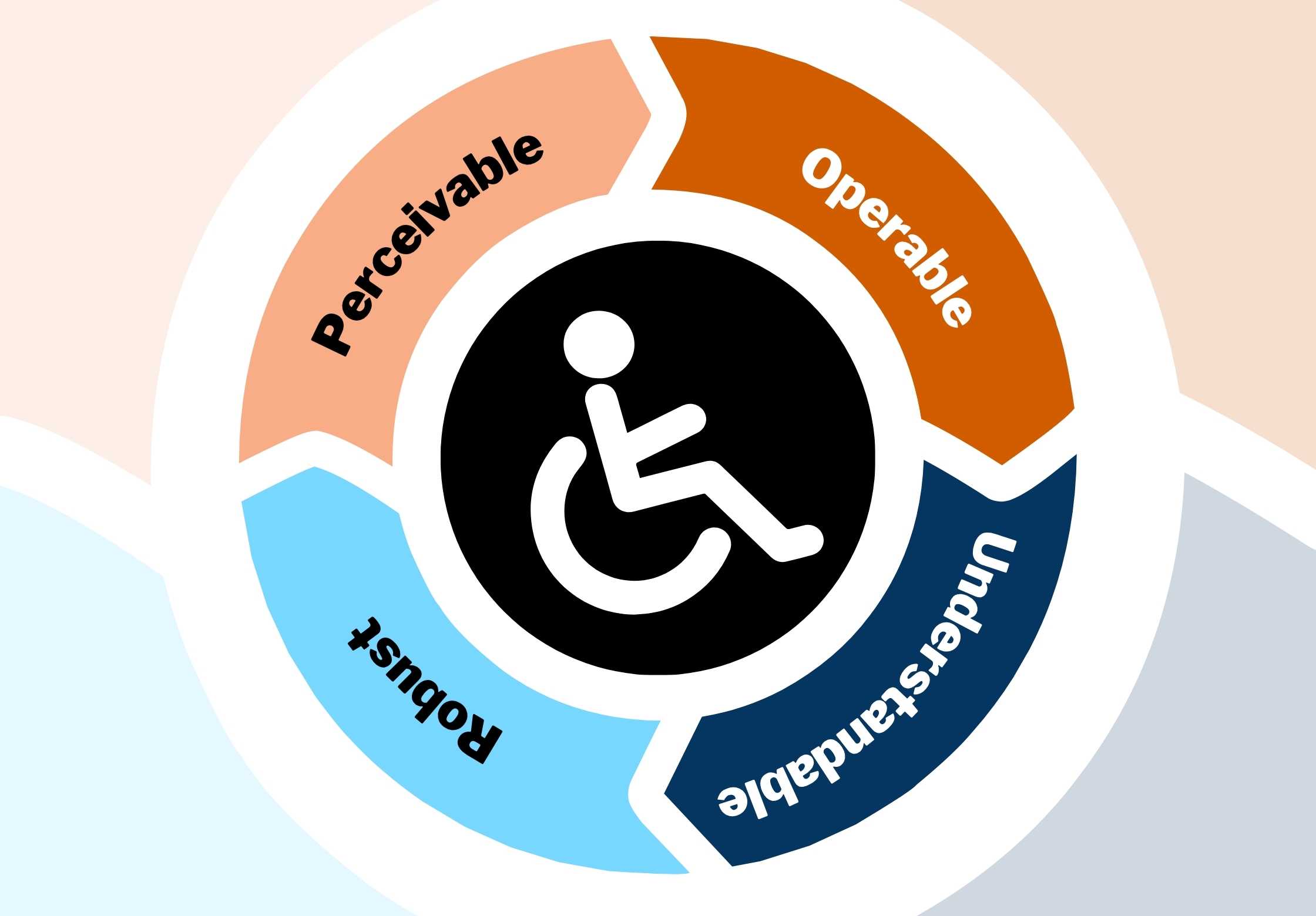
WCAG 2.1 is built around the four principles of Perceivable, Operable, Understandable, and Robust. These standards were created to ensure that every website can work for people with visual, auditory, cognitive, and motor disabilities.
Source: https://www.w3.org/TR/WCAG21/#guidelines (w3.org in Bing)
Failing to meet these standards doesn’t just create a poor user experience… it can expose your business to real legal risk.
Is Your Website at Risk? Probably! But It’s Fixable.
Because WCAG 2.1 Level AA is widely considered the minimum standard for compliance, many older websites fall short. Any websites created more than a year ago should be checked for compliance.
Source: https://www.w3.org/TR/WCAG21/#conformance (w3.org in Bing)
That’s why now is the perfect time to review your site and make sure it meets today’s expectations. Many issues are straightforward to correct, especially when identified early.
How to Check and Improve Your Website’s Accessibility
1. Start With an Accessibility Scan
Suggested Visual:
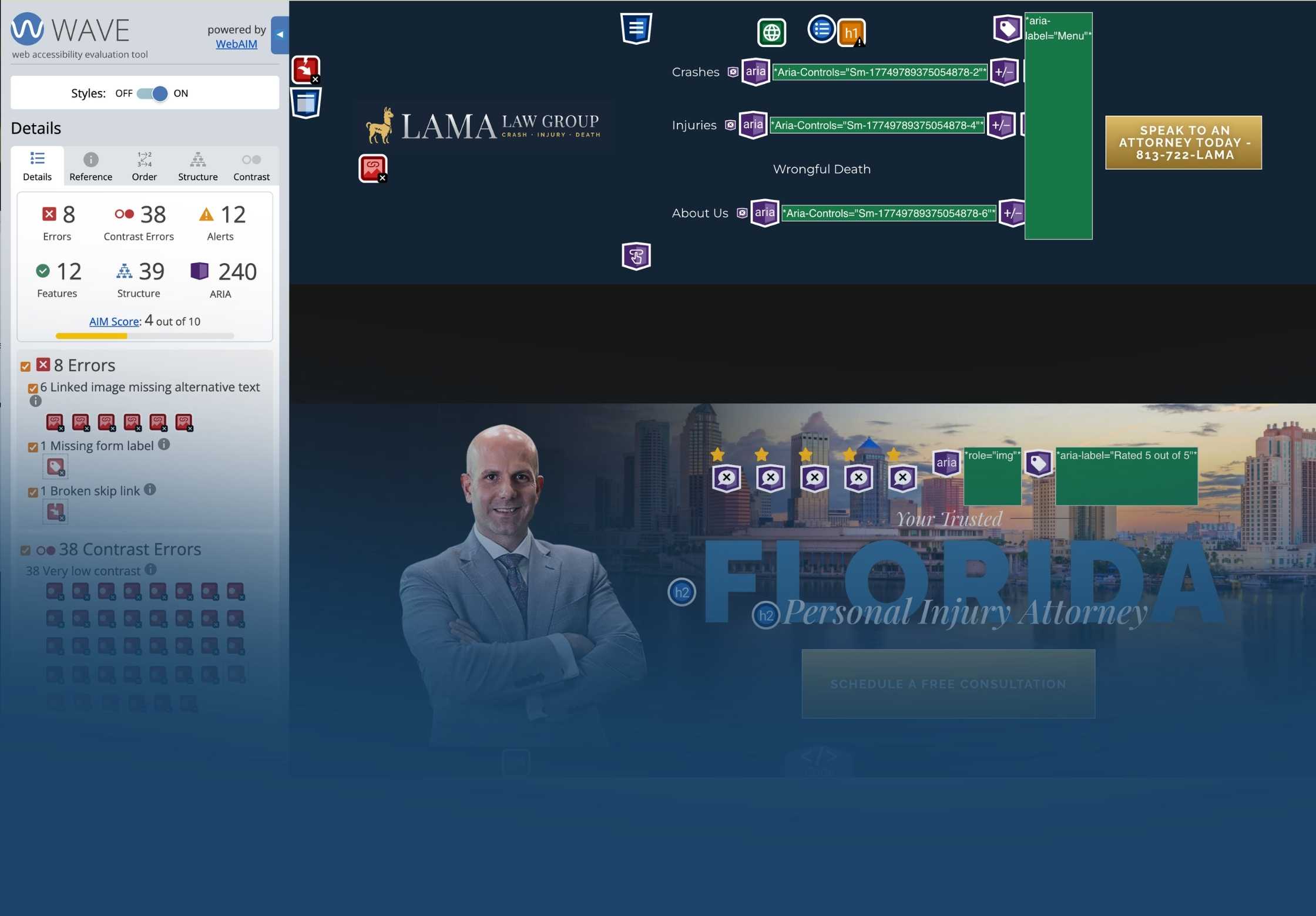
Screenshot of the WAVE Evaluation Tool interface (with sample errors highlighted).
Use the WAVE Evaluation Tool (Chrome, Firefox, or Edge) to scan your website.
This tool flags:
- Red Errors – serious accessibility issues
- Contrast Errors – one of the most common WCAG violations
These two categories alone can significantly impact compliance.
2. Add Descriptive Alt Text to All Images
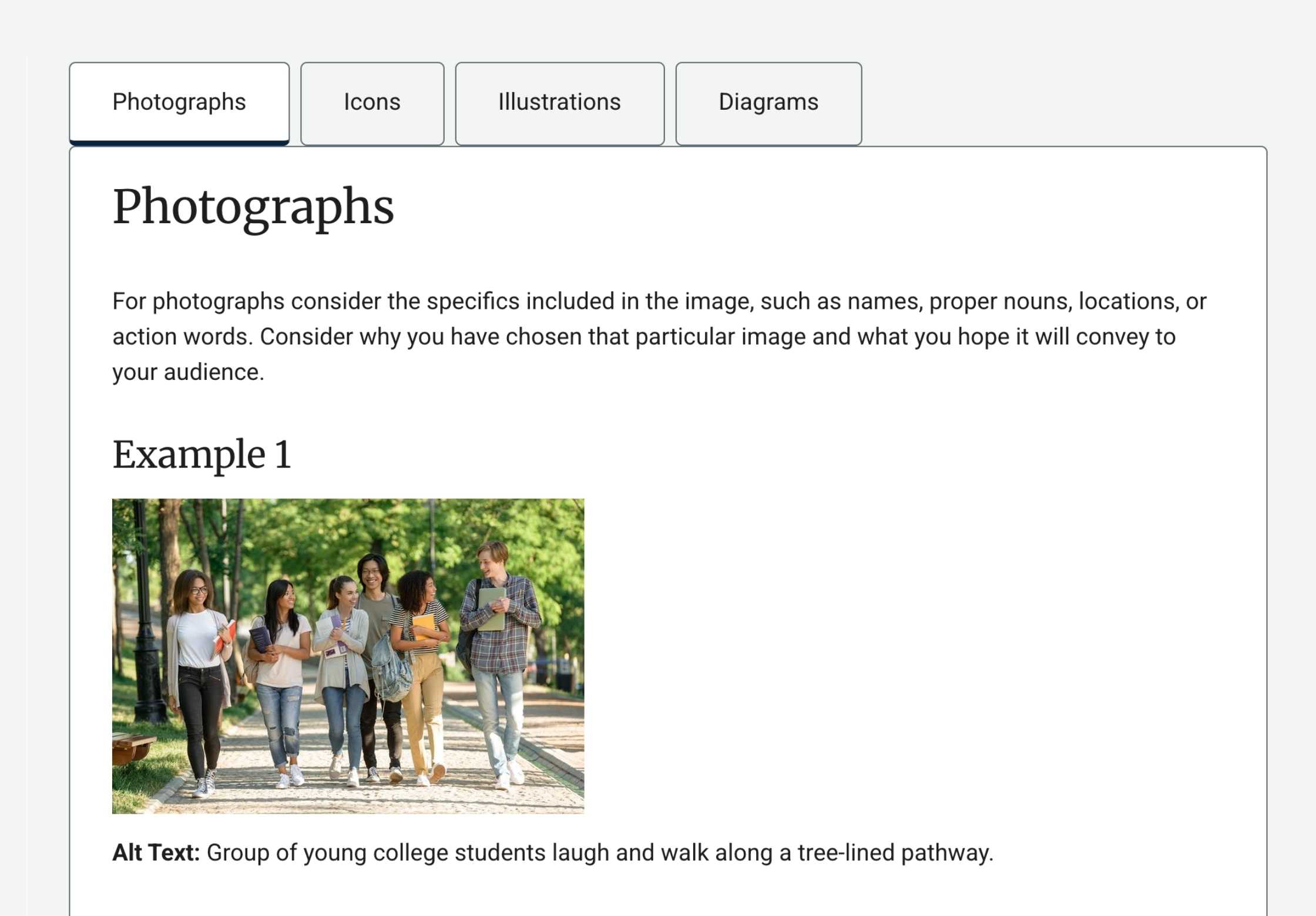
WCAG requires that nontext content be perceivable to all users.
Source: https://www.w3.org/TR/WCAG21/#text-alternatives (w3.org in Bing)
Good alt text should describe the image as if you were explaining it to a friend over the phone. For example:
“A large white building with a sign reading Bob’s Bread, surrounded by a parking lot and trees.”
3. Make Buttons and Links Descriptive
WCAG emphasizes clarity and predictability under the Understandable principle.
Source: https://www.w3.org/TR/WCAG21/#predictable (w3.org in Bing)
Instead of vague text like “Click here,” or “Give it to me”, use actionoriented labels such as:
- “Download the guide”
- “View pricing”
- “Schedule an appointment”
4. Structure Your Headings Properly
Headings should follow a logical order (H1 → H2 → H3). H stands for header, and the numbers are the order of importance.
Big headlines are H1s.
Subheadlines are H2s.
Chapters of smaller text are H3s, and so on.
Great news – making sure your Headers are correct supports both accessibility and your SEO, AKA your Search Engine Optimization!
WCAG requires content to be organized in a way that users, particularly those using assistive tech, can navigate easily. Having mislabeled header and paragraph texts can prevent someone using a screen reader being delivered the information properly.
Source: https://www.w3.org/TR/WCAG21/#info-and-relationships (w3.org in Bing)
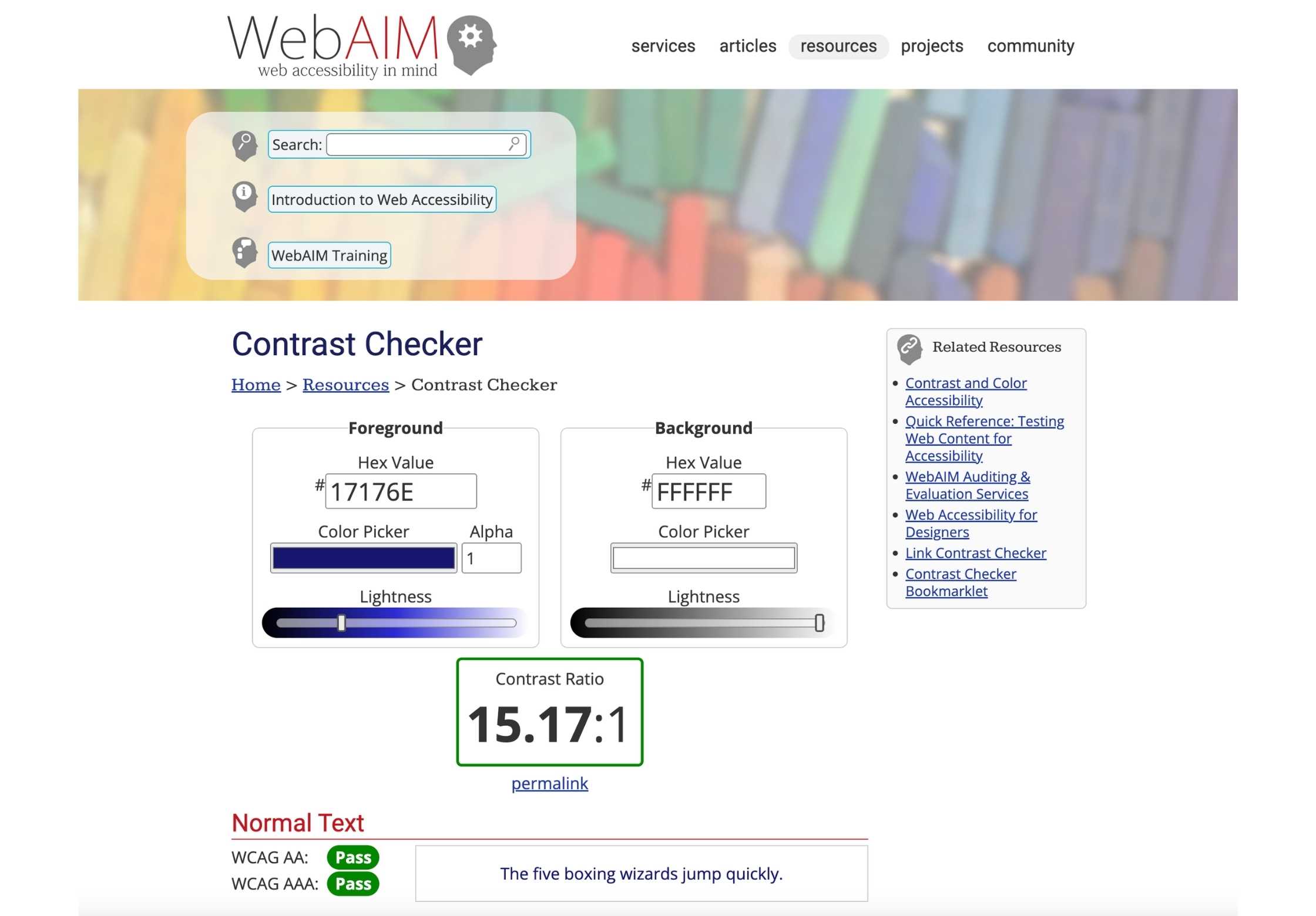
5. Fix Color Contrast Issues
You can use a Contrast Checker, like this tool from WebAIM.
One of the most common mistakes people make is low contrast. Text must have sufficient contrast against its background so users with low vision can read it.
At its simplest: make sure your background colors and text colors aren’t too similar. Dark text needs to go on light backgrounds, and white text should only ever be used on very dark (close to black) backgrounds.
While many designers will choose interesting or unique color combinations that match your brand, you never want to risk readability for artistry. Great websites are all about delivering data clearly and efficiently.
WCAG Level AA requires specific contrast ratios which can be easily checked.
Source: https://www.w3.org/TR/WCAG21/#contrast-minimum (w3.org in Bing)
Examples of poor contrast:
- Dark gray text on a black background
- Light yellow text on a white background
6. Add an Accessibility Page to Your Website
Suggested Visual:
Clean, simple mockup of an Accessibility Statement page.
The final step is to add an Accessibility page to your site that acts as a first step in preventing accessibility issues. Here’s a template you can use:
Our Accessibility Statement
(Business Name) is committed to making this website accessible to all users. We aim to meet WCAG 2.1 Level AA accessibility standards and continuously improve user experience for every visitor.
If you have trouble accessing, reading, purchasing, or interacting with any content on this site, please contact us at (email) with “Accessibility” in the subject line. We will respond promptly and work to resolve the issue.
Updated on: (date)
A note: An accessibility statement does not guarantee immunity from legal action, but it demonstrates documented intent to comply and creates a communication pathway that may help resolve concerns before escalation.
Website accessibility isn’t just a legal requirement: it’s the right thing to do.
Proper accessibility ensures every visitor can engage with your business website.
Website accessibility protects your brand reputation, search visibility, customer experience, and legal exposure. It is not just a compliance checkbox. It is a business decision.
If you would like a complimentary accessibility scan and executive summary of your website, our Digital Team can provide a structured review outlining:
- Identified WCAG gaps
- SEO impact considerations
- Estimated remediation scope
- Prioritized action steps
Frequently Asked Questions
Is WCAG legally required?
WCAG is not itself a law, but courts frequently use WCAG 2.1 Level AA as the benchmark when evaluating ADA website accessibility claims.
Can plugins solve accessibility issues?
Accessibility widgets can assist with user interface customization, but they do not replace structural compliance.
How often should accessibility be reviewed?
Annually, or after major website updates.